


Description
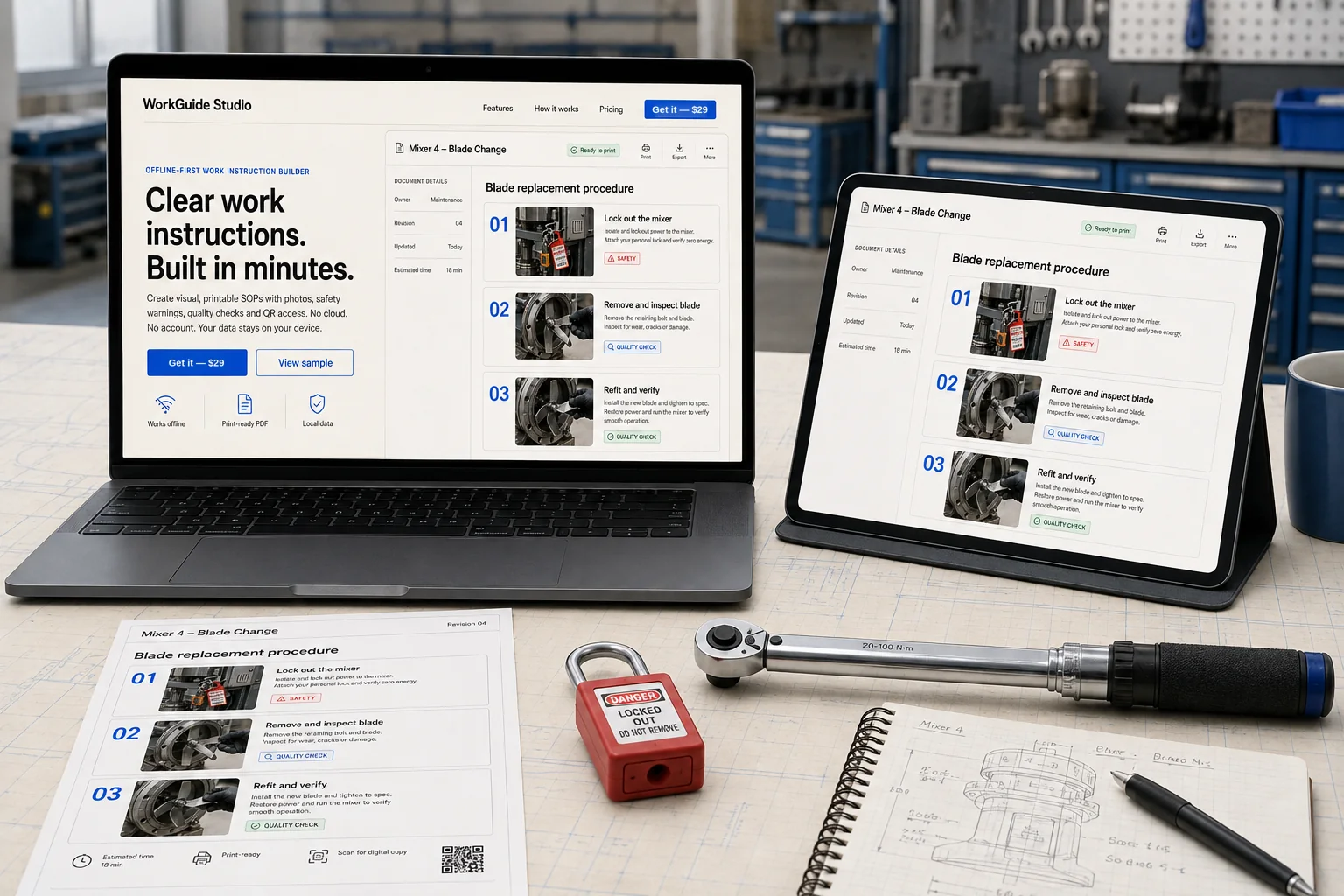
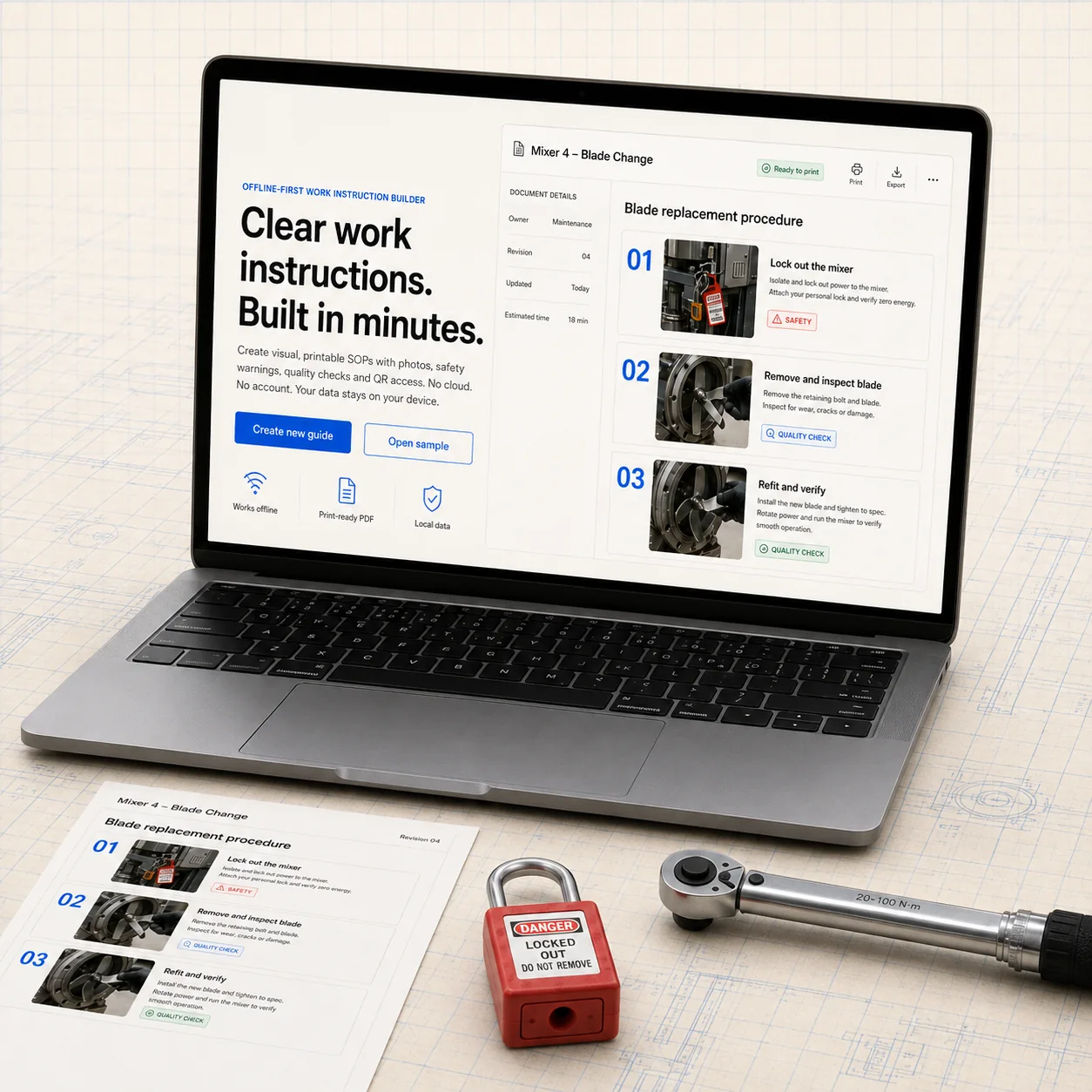
Clear work instructions. Built in minutes.
WorkGuide Studio Pro is an offline-first visual work instruction and SOP builder for small production teams, maintenance departments, repair shops, technical trainers, engineers, and independent consultants. It turns practical process knowledge into structured documents that are easier to review, print, train from, and update.
How you get it: this is a one-time $29 purchase of a downloadable ZIP. You unzip it and open index.html in your desktop browser. There is no online version, no account, no subscription and no trial — the whole application runs from your own folder, on your own machine.
What you can create
- Photo-based work instructions with numbered steps
- Maintenance and repair procedures
- Assembly and setup instructions
- Safety, quality, and verification checks
- Training documents for repeatable tasks
- Print-ready procedures with revision information
Included features
- Multiple locally stored work instructions
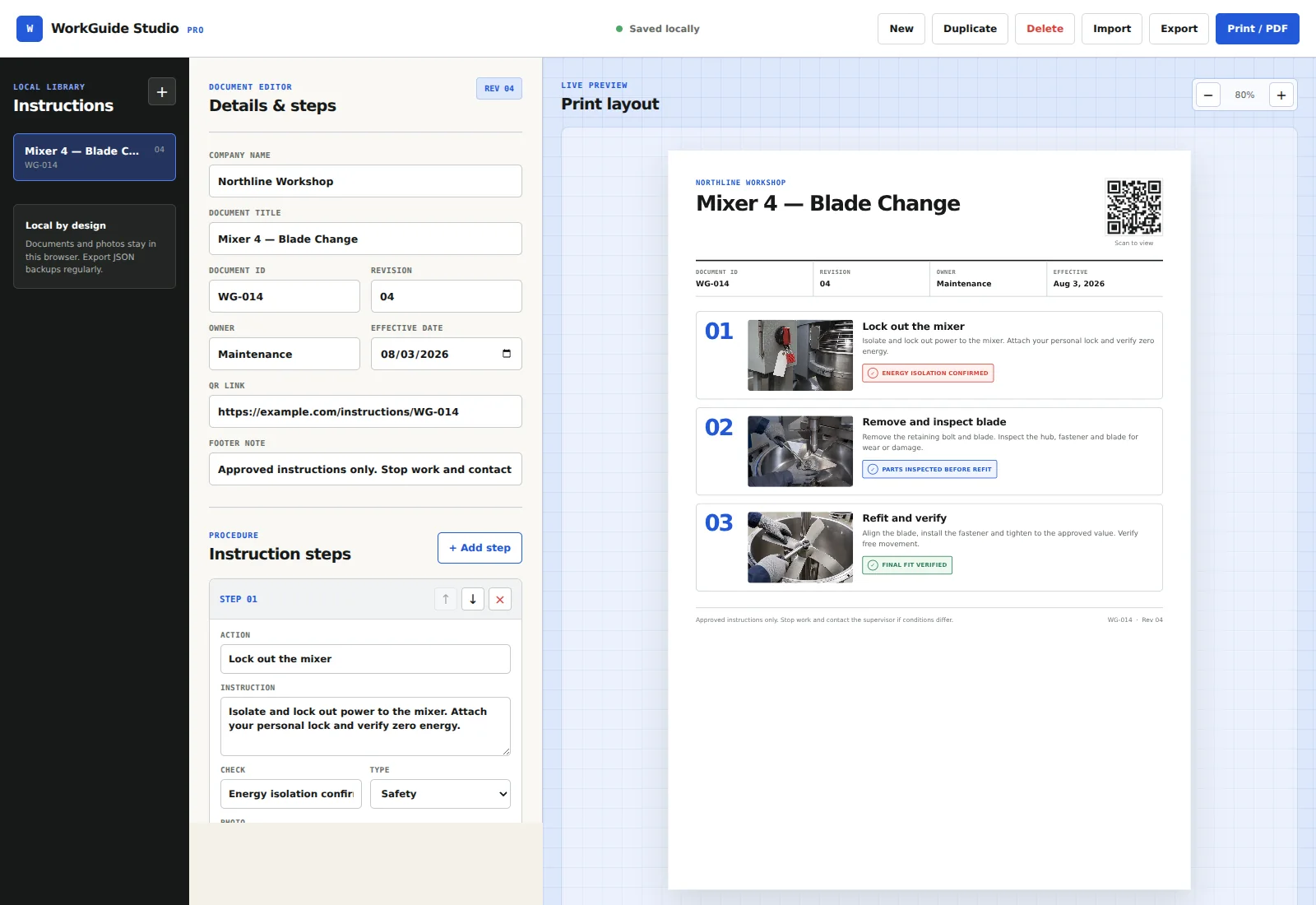
- Add, reorder, duplicate, and delete instructions and steps
- Local photo upload with automatic image resizing
- Safety, quality, and verification labels
- Company, document ID, owner, revision, and effective-date fields
- QR-code generation from a URL you provide
- Live print preview and browser-based Save as PDF workflow
- JSON import and export for portable backups
- Sample maintenance instruction to start from
- Quick-start guide and single-business commercial license
How it works
- Buy and download the ZIP.
- Fully unzip the package on your computer.
- Open
index.htmlin a current desktop browser. - Edit the included sample or create a new instruction.
- Add steps, photos, checks, document details, and an optional QR link.
- Use Print / PDF to save a workshop-ready PDF.
- Export a JSON backup after meaningful changes.
Local by design
No account or cloud workspace is required. Working documents and uploaded photos stay in the current browser profile on the current device. The application makes no external network requests during normal local use — it ships with a Content Security Policy that blocks outbound connections. Browser storage is finite and can be cleared by the browser or by your IT policy, so regular JSON backups are part of normal use, not an edge case.
System requirements
- A desktop or laptop computer
- A current browser with JavaScript and local storage enabled
- Permission to unzip files and open a local HTML file
- A PDF printer or the browser’s Save as PDF function
Frequently asked questions
Is this a web app or a subscription?
Neither. You buy a ZIP once for $29, unzip it, and open index.html in your browser. Nothing is hosted, nothing renews, and there is no login.
Where are my documents stored?
In your browser’s local storage, on the machine where you opened the file. Nothing is uploaded anywhere. Because browser storage can be cleared, export a JSON backup after meaningful changes — that file is yours and can be re-imported on any machine.
Does it work without internet?
Yes. After downloading and unzipping, the application never needs a connection. It is shipped with a Content Security Policy that blocks external requests outright.
Can I use the instructions I create commercially?
Yes. The license covers one business or one independent professional, and the documents you create are yours to use, print and distribute. What you may not do is resell or redistribute the software package itself.
Which browsers are supported?
Version 1.1.0 was functionally tested in Chromium 138 on the desktop. It is built with standard HTML, CSS and JavaScript, and other current desktop browsers are expected to work, but they were not separately tested in this release. It is not designed for phones or tablets.
Do I get updates?
Yes — the download link stays valid, so future 1.x versions are available from the same order.
License
Your purchase includes a non-exclusive, non-transferable license for one business or one independent professional. You may create and commercially use your own work instructions. You may not resell, redistribute, sublicense, upload, or share the software package or modified copies. A service provider may use the software to create documents for clients, but may not hand the software itself to those clients.
Important limitations
WorkGuide Studio Pro is a document-authoring tool. It is not a MES, QMS, safety-management system, legal service, or compliance-certification product. The buyer remains responsible for technical accuracy, approval, revision control, worker training, backups, and all applicable laws and standards.
Need the documents written for you rather than the tool to write them? See our automation and documentation services.
Version: 1.1.0
Delivery: Instant ZIP download (6.3 MB)
Price: US$29 one-time
Support: admin@creatifystore.com
🚀 Level Up Your AI Game
Get weekly AI tools, prompts & automation strategies — free, every week.
No spam. Unsubscribe anytime.
Reviews
There are no reviews yet.