
I Replaced My $3000/mo VA With These 7 AI Agents (Setup Guide)
Eighteen months ago I was paying $3,200 a month to a virtual assistant team — two people, overlapping shifts, Slack pinging me at odd hours. The work got done. But I kept noticing the same pattern: 80% of their tasks were repeatable, rule-based, and frankly boring enough that no human should be doing them. The other 20% required real judgment. I was paying a premium for the 20% and subsidizing inefficiency across the other 80%.
Build smarter, not harder. Explore our digital products — AI prompts, planners, automation playbooks — designed for entrepreneurs who want results.
So I ran an experiment. Over 90 days I systematically replaced every recurring task with a custom AI agent — purpose-built, prompted precisely, and wired into tools I was already using. Total monthly cost today: $340. Output quality on the automated tasks: equal or better. And I got the 20% that actually needed human thinking handled by a specialist I now hire project-by-project.
This guide documents exactly how I did it — the agents, the prompts, the stack, and the real cost breakdown. If you’re still writing “replace virtual assistant with AI” into Google and getting vague think-pieces, this is the specific implementation framework you’ve been looking for.
—
Why Most People Fail at AI Automation (And What They Miss)
The most common mistake: people open ChatGPT, type a task description, get a mediocre result, and conclude “AI can’t do what my VA does.” That’s not an AI problem — it’s an architecture problem.
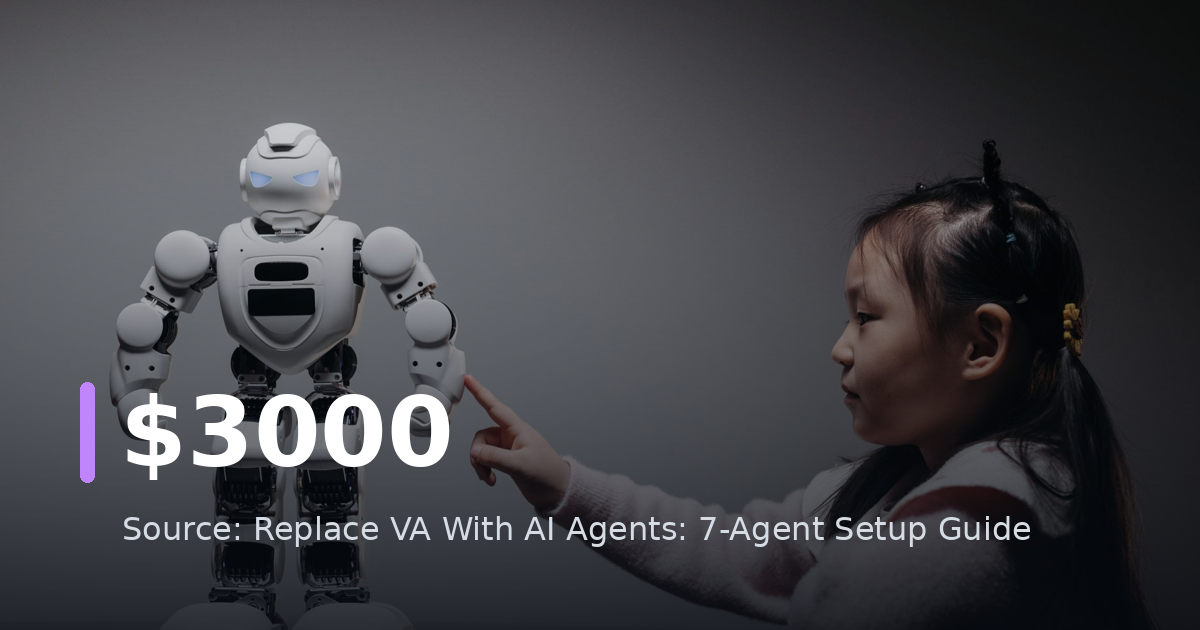
A human VA builds context over time. They remember your brand voice, your preferences, your recurring clients. A generic ChatGPT session has none of that. The fix isn’t a better prompt — it’s a system. Specifically, it’s a set of custom AI agents: persistent, context-rich, tool-connected instances that behave like trained team members rather than one-off chatbots.
The agents I’ll cover aren’t science fiction. They run on:
- ChatGPT Custom GPTs (plus GPT-4o API calls)
- Claude (via API or Projects)
- n8n or Make for workflow orchestration
- Zapier AI for lighter integrations
- Notion AI as a knowledge base backbone
Total setup time for all 7 agents: approximately 14 hours spread across two weekends. Monthly maintenance: under 2 hours.
—
The Full Cost Breakdown: VA vs. AI Agent Stack
Before the setup guide, here’s what the numbers actually look like side by side.
Previous VA setup (monthly):
- VA Team Lead (Philippines, 40 hrs/wk): $1,800
- Part-time VA for overflow (20 hrs/wk): $900
- Tools and subscriptions managed by them: $500
- Total: $3,200/month
Current AI agent stack (monthly):
- ChatGPT Team plan: $30
- Claude Pro: $20
- n8n Cloud (self-hosted option is ~$5/mo on a VPS): $50
- Make.com Core plan: $16
- Notion Plus: $16
- Airtable Plus (as data layer): $24
- Miscellaneous API costs (OpenAI, Perplexity): $80
- Human specialist (project-based, ~4 hrs/mo): $104
- Total: $340/month
Monthly savings: $2,860
Annual savings: $34,320
The remaining human specialist handles edge-case decisions, vendor negotiations, and anything requiring genuine relationship management — things no AI agent should be trusted with unsupervised in 2026.
—
The 7 AI Agents: What Each One Does and How to Set It Up
Agent 1: The Inbox Manager
What it replaced: 2 hours/day of email triage, response drafting, and follow-up scheduling.
Stack: Gmail + Zapier + GPT-4o API + Notion
How it works:
Every incoming email triggers a Zapier workflow. The email content is sent to GPT-4o with this system prompt:
`
You are an inbox manager for [Name], a [role] who runs [business type].
Classify this email into one of five categories:
(1) Requires immediate reply,
(2) Requires reply within 48h,
(3) Needs delegation log entry,
(4) Newsletter/subscription — archive,
(5) Spam — delete.
Then draft a reply if categories 1 or 2. Use this voice guide: [paste 200-word brand voice description].
Always flag if the sender is on this VIP list: [paste list].
Output: JSON with keys: category, draft_reply, flag_vip, summary.
`
The JSON output feeds into a Notion database that serves as the “virtual inbox.” I review flagged emails once daily, approve or edit drafts in under 10 minutes, and send via a single Zapier “send approved drafts” trigger.
Setup time: 3 hours
Monthly cost contribution: ~$40 in API calls
—
Agent 2: The Content Repurposer
What it replaced: Writing social posts, newsletters, and LinkedIn articles from existing content — previously ~15 hours/month of VA time.
Stack: Claude Projects + Notion + Buffer
How it works:
Inside Claude Projects, I created a dedicated project with three documents uploaded as context:
- My complete brand voice guide (800 words)
- A swipe file of 30 posts that performed well
- Platform-specific rules (Twitter character limits, LinkedIn formatting quirks, etc.)
The system prompt for this project:
`
You are a content strategist who knows [Name]’s brand inside out.
When given a source piece (blog post, podcast transcript, interview clip),
your job is to extract 5 core ideas and repurpose each into:
one LinkedIn post (800-1200 chars), one X/Twitter thread (5-7 tweets),
one email newsletter hook (150 words).
Never summarize — always reframe. Lead with tension or a counterintuitive claim.
Match the voice in the swipe file exactly.
`
I paste raw content in. Get formatted, ready-to-schedule posts out. Buffer handles scheduling. The whole repurposing cycle for one blog post: 8 minutes of my time.
Setup time: 2 hours
Monthly cost contribution: Covered by Claude Pro subscription
—
Agent 3: The Research Analyst
What it replaced: Competitive research, prospect background briefs, market summaries — about 10 hours/month.
Stack: Perplexity API + n8n + Notion
How it works:
This agent runs on a triggered or scheduled basis. In n8n, I built a workflow:
- A Notion database row is created with a research request (topic + depth level + deadline)
- n8n picks it up, sends a structured query to Perplexity’s API (which has live web access)
- The raw research comes back, gets passed through GPT-4o for synthesis and formatting
- Final output: a structured brief in Notion — executive summary, key findings, sources, recommended actions
The synthesis prompt:
`
You are a research analyst. Take the raw search results below and produce
a structured brief with these sections: Executive Summary (3 sentences max),
Key Data Points (bullet list, numbers only — no fluff),
Competitive Landscape (if applicable),
Recommended Next Actions (specific, not generic).
Audience: a busy founder who reads this in 3 minutes or less.
`
Setup time: 2.5 hours
Monthly cost contribution: ~$30 in API calls
—
Agent 4: The CRM Updater
What it replaced: Manual CRM data entry after calls, meetings, and email threads — previously the most error-prone and hated task in the VA workflow.
Stack: Fireflies.ai + GPT-4o API + HubSpot/Notion CRM + Zapier
How it works:
Fireflies records and transcribes every call automatically. Post-call, a Zapier workflow sends the transcript to GPT-4o with this prompt:
`
Extract the following from this sales/client call transcript:
- Contact name and company
- Key pain points mentioned (verbatim quotes preferred)
- Commitments made by either party
- Next steps with deadlines
- Deal stage assessment: Discovery / Qualified / Proposal / Negotiation / Closed
- Sentiment score: Positive / Neutral / Negative
Output as JSON. Be specific. Do not generalize.
`
The JSON maps directly to HubSpot fields via API. CRM is updated within 4 minutes of a call ending, with zero manual input.
Setup time: 2 hours
Monthly cost contribution: Fireflies $19/mo + ~$15 API costs
—
Agent 5: The Scheduler and Calendar Optimizer
What it replaced: Back-and-forth scheduling emails, meeting prep reminders, and post-meeting follow-up sequences.
Stack: Calendly + GPT-4o + Gmail + n8n
How it works:
This is a three-part agent:
Part A — Auto-scheduling: Calendly handles inbound booking. No change here.
Part B — Pre-meeting brief: 24 hours before any meeting, n8n pulls the attendee name, runs the Research Agent (Agent 3) on them automatically, and emails me a 1-page brief: who they are, what they’ve published recently, shared connections, and 3 conversation openers.
Part C — Post-meeting follow-up: Within 30 minutes of a meeting ending (triggered by Calendly’s “event ended” webhook), a draft follow-up email is generated from the Fireflies transcript summary and queued in my inbox for one-click approval.
Setup time: 3 hours
Monthly cost contribution: ~$20 API costs
—
Agent 6: The SOPs Writer and Knowledge Base Builder
What it replaced: Documentation work — writing standard operating procedures, updating process docs, creating onboarding materials.
Stack: Claude + Notion + Loom (for transcript input)
How it works:
Whenever I do something new or complex, I record a quick Loom walkthrough and get the auto-transcript. That transcript goes into Claude with this prompt:
`
Convert this process description into a formal SOP document.
Structure: Overview, When to use this SOP, Prerequisites,
Step-by-step instructions (numbered, one action per step),
Common errors and fixes, Success criteria.
Write for someone new to the role. Assume zero prior context.
Flag anything that’s unclear in the transcript with [NEEDS CLARIFICATION].
`
The output goes straight into Notion. I review it once, fix any [NEEDS CLARIFICATION] flags, and it’s done. My entire operating system is now documented and searchable — something the VA team never fully achieved in 18 months.
Setup time: 1 hour
Monthly cost contribution: Covered by Claude Pro
—
Agent 7: The Data Reporter
What it replaced: Weekly and monthly reporting — pulling metrics, building summaries, identifying anomalies.
Stack: Airtable + n8n + GPT-4o + Slack
How it works:
Every Monday at 8 AM, n8n pulls data from connected sources (Airtable for operations data, Stripe for revenue, Google Analytics via API). It passes all of it to GPT-4o with this prompt:
`
You are a business analyst. Here is last week’s data across three areas:
revenue, content performance, and operations metrics.
Write a Monday morning briefing that covers:
(1) Three wins worth noting,
(2) Three metrics that need attention and why,
(3) One recommendation for this week based on the data.
Keep it under 400 words. Be specific — cite actual numbers.
`
The briefing posts to a private Slack channel. I read it in 3 minutes. Decisions get made. The week starts with clarity instead of guesswork.
Setup time: 2 hours
Monthly cost contribution: ~$15 API costs
—
How to Prioritize: Which Agent to Build First
If you’re starting from zero, don’t try to build all 7 at once. Use this sequencing:
Week 1 — High ROI, low complexity:
- Start with the Content Repurposer (Agent 2) if you produce content
- Or the CRM Updater (Agent 4) if you’re in sales
Week 2:
- Build the Inbox Manager (Agent 1) — this has the highest daily time savings
Week 3:
- Add the Research Analyst (Agent 3) and the Data Reporter (Agent 7)
Week 4:
- Wire in the Scheduler (Agent 5) and SOPs Writer (Agent 6)
The reason for this order: Agents 2 and 4 have self-contained workflows with clear inputs and outputs. You’ll see results fast and build confidence in the system before tackling the more complex integrations.
—
What AI Agents Still Can’t Replace (Be Honest About This)
The goal of this guide isn’t to eliminate human support entirely — it’s to eliminate unnecessary human support. There are genuine gaps that agents won’t reliably fill:
- Relationship management with high-value clients — AI can draft the email, but the phone call where someone is upset requires a human who can read context, pause, and improvise.
- Creative strategy decisions — AI can give you options, but choosing which creative direction reflects your brand’s next chapter is a judgment call.
- Novel problem-solving — When something breaks in a way that’s never broken before, you want a human on it.
- Legal, financial, HR decisions — Non-negotiable. Always human.
What the agent stack does is compress everything else so the time you spend on these human-essential tasks is focused, unhurried, and informed by better data than you had before.
—
Getting Started: Your 30-Minute First Agent
To replace virtual assistant with AI effectively, you don’t need to overhaul your entire stack on day one. Here’s a 30-minute starting point:
- Pick one recurring task your VA (or you) does at least 3x per week
- Write down every input that task requires — what information does someone need to complete it?
- Write down the exact output format — what does “done” look like?
- Build a system prompt using this structure: Role → Context → Task → Constraints → Output format
- Test it on 5 real examples from the past month
- Measure accuracy — aim for 80%+ before automating fully
The agents I run today didn’t look like this on day one. They went through 3-5 iterations before they were trustworthy. Expect that. Build the feedback loop into your process.
—
Conclusion
Replacing a virtual assistant with AI isn’t about cutting corners — it’s about redirecting intelligence. Human intelligence is scarce and expensive; it should be doing scarce, expensive work. Rule-based, repeatable, high-volume tasks are not that work.
The 7 agents documented here collectively handle what previously required two people and $3,200 a month. The setup required a few weekends, not a team of developers. The ongoing maintenance is genuinely low — about 2 hours a month.
If you’re serious about AI workflow automation in 2026, the differentiator isn’t which AI model you use. It’s the architecture: purpose-built agents with persistent context, precise prompts, and clean integrations. That’s what this guide gives you the blueprint for.
Start with one agent. Get it working properly. Then build the next one. Three months from now you’ll have a system — not just a subscription to a chatbot.
The tools are ready. The only question is whether you’ll build the system or keep paying for the workaround.
—
Have questions about a specific agent setup or integration? Drop them in the comments — I respond to every one.
Want More AI Automation Insights?
Custom chatbots, content engines, and workflow automation. Get weekly tips.
Subscribe Free View Services Browse AI Tools
Free newsletter • AI tools from $9 • Custom services from $49
Recommended resources:
📚 Related Articles
- AI Agent ROI: Why 9 of 12 AI Agents Failed
- 847 Side Hustles Analyzed: Only 3 Scale With AI
- How to Create Online Course AI Tools: Complete Guide 2026
- AI Automation for Small Business: 7 Tools Replacing Employees
Get the free AI Automation Starter Kit
Ready-to-use workflows and prompts I actually run in a live, 24/7 AI-automated business — no fluff, instant access.
Дальше по теме
🚀 Level Up Your AI Game
Get weekly AI tools, prompts & automation strategies — free, every week.
No spam. Unsubscribe anytime.