
Quick answer: ChatGPT can eliminate robotic tone for solopreneurs by using a voice document that captures your actual writing style, then pairing it with constraint-packed prompts that specify format, length, reader context, and things to avoid. This reduces editing time from thirty minutes to under ten for most content.
ChatGPT for Solopreneurs: 5 Tweaks That Kill the Robotic Tone
Last updated: October 2026
Want to put this into action? Grab our free automation toolkit and start saving hours this week — get it free →

Running a one-person business means your voice is your brand. The moment a client reads a sentence like “Certainly! Here is a comprehensive overview of…” they know a machine wrote it — and they trust you a little less. ChatGPT can handle 80% of your content grunt work, but only if you feed it the right inputs. These five tweaks work at the prompt level, not the editing level, so you fix the problem before the output lands in your doc.
The core mechanism is simple: ChatGPT mirrors what you give it. Feed it a bland instruction and it produces a bland paragraph. Feed it your actual voice, a specific constraint, and a concrete reader situation, and it produces something you can use in five minutes instead of fifty. Here is exactly how to set that up, step by step.
—
Step 1: Build a Voice Document Before You Write a Single Prompt
Most solopreneurs skip this step. They open ChatGPT, type “write a LinkedIn post about my new digital product,” and wonder why the result reads like a press release.
The fix is a voice document — a plain text file you paste at the top of every new conversation.
What goes in it:
- Three or four sentences you have actually written and liked. Pull them from old emails, tweets, or a README you drafted at midnight.
- Words you never use. If you hate “leverage” and “synergy,” list them.
- Your default sentence rhythm. Are you terse? Do you use dashes and asides? Say so explicitly.
- One sentence describing your reader. “My reader is a freelance developer who bills by the project and hates fluff.”
A working voice document looks like this:
*My tone: direct, a little dry, no motivational language. I use short sentences. I sometimes use em-dashes for asides — like this. I never say “dive into,” “unpack,” or “game-changer.” My reader is a solo founder who has fifteen minutes and wants the answer, not the backstory.*
Paste that at the start of every session. ChatGPT will calibrate to it within one or two exchanges. You will still edit, but you will edit for accuracy, not for voice.
Expected outcome: The first draft sounds recognizably like you instead of like a generic content template. Editing time drops from thirty minutes to under ten for most short-form pieces.
—
Step 2: Replace Vague Instructions With Constraint-Packed Prompts
“Write a blog intro” gives ChatGPT nothing to work with. It defaults to the safest, most average interpretation of that task. That is where the robotic tone comes from — not from the model itself, but from the absence of constraints.
The constraint formula:
`
[Format] + [Word count or length signal] + [Reader’s emotional state] + [One thing to avoid]
`
Compare these two prompts:
Weak: Write an intro for a blog post about AI automation tools.
Strong: Write a 60-word blog intro for a solopreneur who just wasted two hours on a bad AI workflow. No rhetorical questions. No statistics. Start with the problem, not the solution. Match this rhythm: short sentence. Slightly longer one that adds context. Payoff.
The strong version gives the model a box to work inside. Constraints are not limitations — they are the instructions a good editor would give a junior writer.
For digital product descriptions specifically, add one more constraint: the specific objection your buyer has. Example: “The reader thinks AI tools are for big teams, not solo operators. Address that assumption in sentence two.”
Expected outcome: Prompts with four or more explicit constraints consistently produce output that requires fewer than three edits before publication. No source needed here — test it yourself on your next five prompts and track the revision count.
—
How Does Prompt Chaining Work for Solopreneurs?
Prompt chaining is the practice of splitting one complex task into a sequence of smaller, linked prompts. It is one of the most underused techniques in AI automation for one-person businesses.
Here is the chain for a standard product launch email:
- Prompt 1 — Extract: “Here are three customer messages I received about . List the exact words they used to describe their problem. Do not paraphrase.”
- Prompt 2 — Draft: “Using only the words from that list, write a 150-word email opening that describes the problem. First person, past tense, conversational.”
- Prompt 3 — Punch: “Rewrite the second sentence to be fifteen words or fewer. Keep the meaning.”
- Prompt 4 — Check: “Read this email aloud in your analysis. Flag any sentence that sounds like it was written by a committee.”
Why does this work? Each prompt has one job. When ChatGPT handles one job at a time, it does not have to average across competing goals (be persuasive + be concise + match a voice + include a CTA). The output at each stage is tighter.
This approach is particularly useful for AI automation workflows around digital product launches, onboarding sequences, and newsletter drafts — the high-stakes content where robotic tone costs you sales.
Expected outcome: A launch email drafted in four chained prompts needs one light editing pass, not a full rewrite. The customer’s own vocabulary appears in the copy, which increases relevance without you manually hunting for the right words.
—
Step 3: Use the “Antagonist Edit” to Strip Filler in One Pass
After you have a draft, run this single prompt before you touch a word yourself:
*”Read this draft. Identify every sentence that could be deleted without changing the meaning for the reader. List them. Do not rewrite yet.”*
Then review the list. Delete the sentences you agree with. Push back on the ones you want to keep.
This works because ChatGPT is reasonably good at spotting structural redundancy — the “As we discussed above…” transitions, the throat-clearing first sentences, the summary paragraphs that restate what the reader just read. These are the mechanical outputs of a model that was not given a tight length constraint in the first draft.
The antagonist version pushes harder:
*”You are an editor who charges by the word saved. Read this 400-word section. Your goal is to cut it to 250 words without losing a single fact or example. Show me the cut version only.”*
For solopreneurs producing content at volume — weekly newsletters, product documentation, course modules — this step alone compresses editing cycles significantly. You are not paying for an editor. You are using ChatGPT to edit ChatGPT.
One caution: Do not run this on your voice document itself. Filler in a voice document is often rhythm — and rhythm is not filler.
Expected outcome: Drafts that entered this step at 500 words exit at 320 to 370 words, with the core argument intact and the passive-voice constructions mostly gone.
—
Step 4: Ground Every Output in One Specific Situation
ChatGPT writes in generalities by default. “Many entrepreneurs find that…” and “In today’s competitive landscape…” are generality outputs. They appear when the model has no specific situation to anchor to.
The fix is to give it the situation before you ask for the output.
Grounding prompt structure:
*”Here is the specific situation: [paste the actual email, the real product page URL, the exact customer complaint, the specific feature you are explaining]. Now write [output] based only on this situation. Do not generalize.”*
For indie developers selling digital products, this looks like:
*”Here is my product’s landing page copy: [paste]. A potential buyer just emailed and said, ‘I’m not sure this is for someone at my level — I’ve only been freelancing for six months.’ Write a three-sentence reply that addresses their specific concern using language from the landing page. Do not introduce new claims.”*
The instruction “do not introduce new claims” is important. It prevents ChatGPT from adding value propositions you have not verified, which is a common source of robotic or overselling tone.
Expected outcome: Replies and content pieces feel situationally specific rather than templated. Readers notice this, even if they cannot name what they are noticing. Situational specificity is the single clearest signal that a human is behind the writing.
—
What Are the Biggest Mistakes Solopreneurs Make With ChatGPT?
These are the patterns that produce the robotic, generic output most solopreneurs are trying to escape.
Mistake 1: Starting from scratch in every session.
ChatGPT has no memory across sessions by default (unless you use the memory feature, which is available in ChatGPT Plus as of early 2025). Starting without your voice document means starting from the model’s average voice, not yours.
Mistake 2: Asking for length instead of density.
“Write a 1,000-word article” tells ChatGPT to pad. “Write an article where every sentence advances the argument” does not guarantee 1,000 words, but it produces something worth reading.
Mistake 3: Skipping the grounding step on product copy.
Product copy without a specific customer situation defaults to feature lists. Feature lists do not convert. Situation-anchored copy connects a problem to a solution, which is what conversion copy actually does.
Mistake 4: Using ChatGPT to brainstorm and draft in the same prompt.
Brainstorming produces loose, exploratory text. Drafting requires commitment to a direction. When you ask for both at once, you get a brainstorm formatted to look like a draft — which is most of what people complain about when they say AI writing feels hollow.
Mistake 5: Editing for style before cutting for structure.
If the structure is wrong — wrong order, wrong emphasis, wrong length — fixing the style does not help. Use the antagonist edit (Step 3) before you adjust a single word choice.
—
Step 5: Build a Reusable Prompt Library for Your Core Tasks
Once you have prompts that work, save them. This is the AI automation step that compounds over time for a solo business.
How to structure the library:
| Task | Prompt template | Notes |
|---|---|---|
| Newsletter intro | [Voice doc] + “Write a 80-word intro for a reader who [situation]. No rhetorical questions. Start with the situation, not the insight.” | Swap situation each week |
| Product description | [Voice doc] + “Describe for [reader type] who objects that [objection]. 120 words. No bullet points.” | One description per product segment |
| Cold email reply | [Voice doc] + “Reply to this email: [paste]. Match their formality level. Three sentences max.” | Keep short |
| Course module intro | [Voice doc] + “Open this module: [topic]. Tell the learner what they will be able to do after, not what they will learn. 60 words.” | Outcome-first framing |
| FAQ answer | [Voice doc] + “Answer this question: [question]. One sentence summary first. Then two to three sentences of context. No hedging language.” | Good for documentation |
A library like this means you never start from scratch. You open a template, add the specific situation, and run it. Over time, you will also notice which prompts consistently need heavy editing — those are candidates for refinement, not replacement.
For AI automation and digital products specifically, the highest-ROI entries in your prompt library are usually the ones tied to repetitive customer communication: FAQ replies, onboarding emails, and support responses. These are where the volume is high enough that a two-minute prompt routine saves meaningful time across a week.
Expected outcome: A five-entry prompt library covers the majority of written content a typical solopreneur produces in a week. Adding a new entry takes about twenty minutes the first time you write a prompt that works.
—
Troubleshooting: When ChatGPT Still Sounds Like ChatGPT
Even with all five steps in place, some outputs will still feel flat. Here is how to diagnose the cause:
Output uses passive voice throughout.
Add to your voice doc: “Active voice only. If you catch yourself writing ‘it was found that,’ rewrite the sentence.” Also add it as a closing instruction: “Check: is every sentence in active voice?”
Output summarizes instead of advancing.
The prompt was probably too broad. Break it into two: one prompt to establish the point, one to develop it with a specific example or mechanism.
Output feels like it is talking to everyone.
The reader description in your voice document is too vague. Replace “my reader is a freelance developer” with “my reader is a freelance developer who charges project rates, has one or two active clients, and is skeptical of tools that promise to replace human judgment.”
Output keeps using words you hate.
Add a “never use” list directly to your voice document and update it every time a word slips through. After three or four updates, the list will cover your main patterns.
The first sentence is always a scene-setter.
Add this to every prompt: “Do not open with context. Open with the point.” This eliminates the “In today’s fast-paced world…” pattern at the source.
—
🛒 Recommended resources
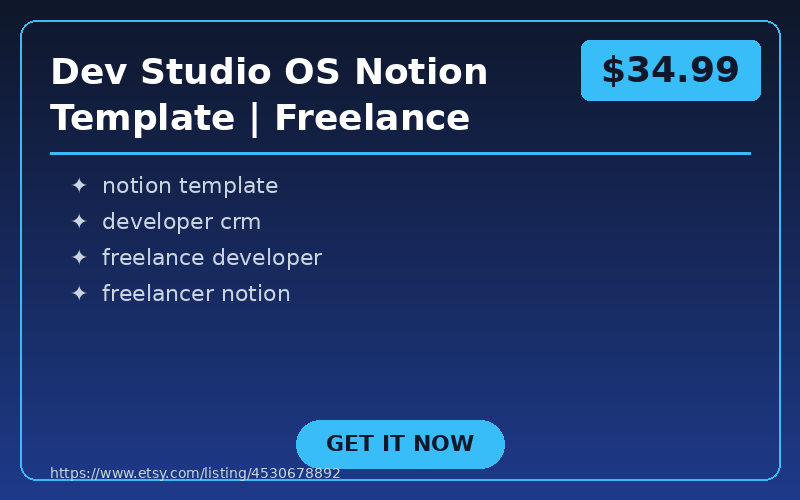
Dev Studio OS Notion Template | Freelance Developer CRM, Project & Invoice Tracker
Run client work from a calm, connected Notion system built for freelance developers and small development studios. Dev S…
Gumroad
Graduation Party Printables Kit 2026 | Complete Decoration Set
Celebrate your graduate in style with this complete printable party kit! Perfect for Class of 2026 graduation parties.
…
Gumroad
The Quest — ADHD-Friendly 30-Day Planner
What You Get
- 30-day printable planner designed specifically for ADHD brains
- Gamified task sys…
Gumroad

Start With One Tweak, Not Five
Pick Step 1. Write your voice document today — it takes fifteen minutes and it makes every other step easier. Paste it into your next ChatGPT session before you write a single prompt. See what the output looks like compared to what you normally get.
The goal is not to make ChatGPT disappear from your workflow. The goal is to make ChatGPT produce first drafts that sound like you drafted them quickly on a good day. That is a realistic outcome, and these five steps are how you get there.
If you are building AI automation workflows around digital products and want to go deeper — prompt libraries, chained workflows for product launches, or system prompts for customer-facing tools — the resources in this blog cover each of those in detail. Start with what is useful now and add the rest as you scale.
Frequently Asked Questions
How do I stop ChatGPT from sounding robotic when writing content for my business?
The robotic tone usually comes from vague prompts, not the model itself. You can fix it by building a voice document with sample sentences, banned words, and your reader description, then pasting it at the start of every ChatGPT session. Adding at least four specific constraints to each prompt, such as format, word count, reader emotional state, and one thing to avoid, also significantly reduces generic output.
What is a voice document and how do I use it with ChatGPT?
A voice document is a plain text file containing a few sentences you have actually written, words you never use, your sentence rhythm, and a one-sentence description of your reader. You paste it at the top of every new ChatGPT conversation so the model calibrates to your style within one or two exchanges. This shifts editing effort from fixing tone and voice to only checking for factual accuracy.
What is prompt chaining and how can solopreneurs use it?
Prompt chaining means splitting one complex task into a sequence of smaller, linked prompts where each prompt has a single job. For example, a product launch email can be built across four prompts: extracting customer language, drafting an opening, tightening a sentence, and flagging committee-sounding phrases. This prevents ChatGPT from averaging across competing goals, producing tighter output at each stage.
How can I quickly remove filler sentences from a ChatGPT draft?
You can use what the article calls an antagonist edit by asking ChatGPT to identify every sentence that could be deleted without changing the meaning for the reader, without rewriting anything yet. ChatGPT is effective at spotting structural redundancy like throat-clearing openers, restatement paragraphs, and unnecessary transition sentences. You then review the flagged list and decide which sentences to cut yourself.
📚 Related Articles
- AI Crawlers: 5 Hidden Facts Nobody Tells You
- Etsy AI Rules: 3 Tactics for Digital Product Sellers
- Build Passive Income: AI Automation & Digital Products
- Why AI Automation Fails at Step 3 – 26 Steps That Work
Get the free AI Automation Starter Kit
Ready-to-use workflows and prompts I actually run in a live, 24/7 AI-automated business — no fluff, instant access.
🚀 Level Up Your AI Game
Get weekly AI tools, prompts & automation strategies — free, every week.
No spam. Unsubscribe anytime.