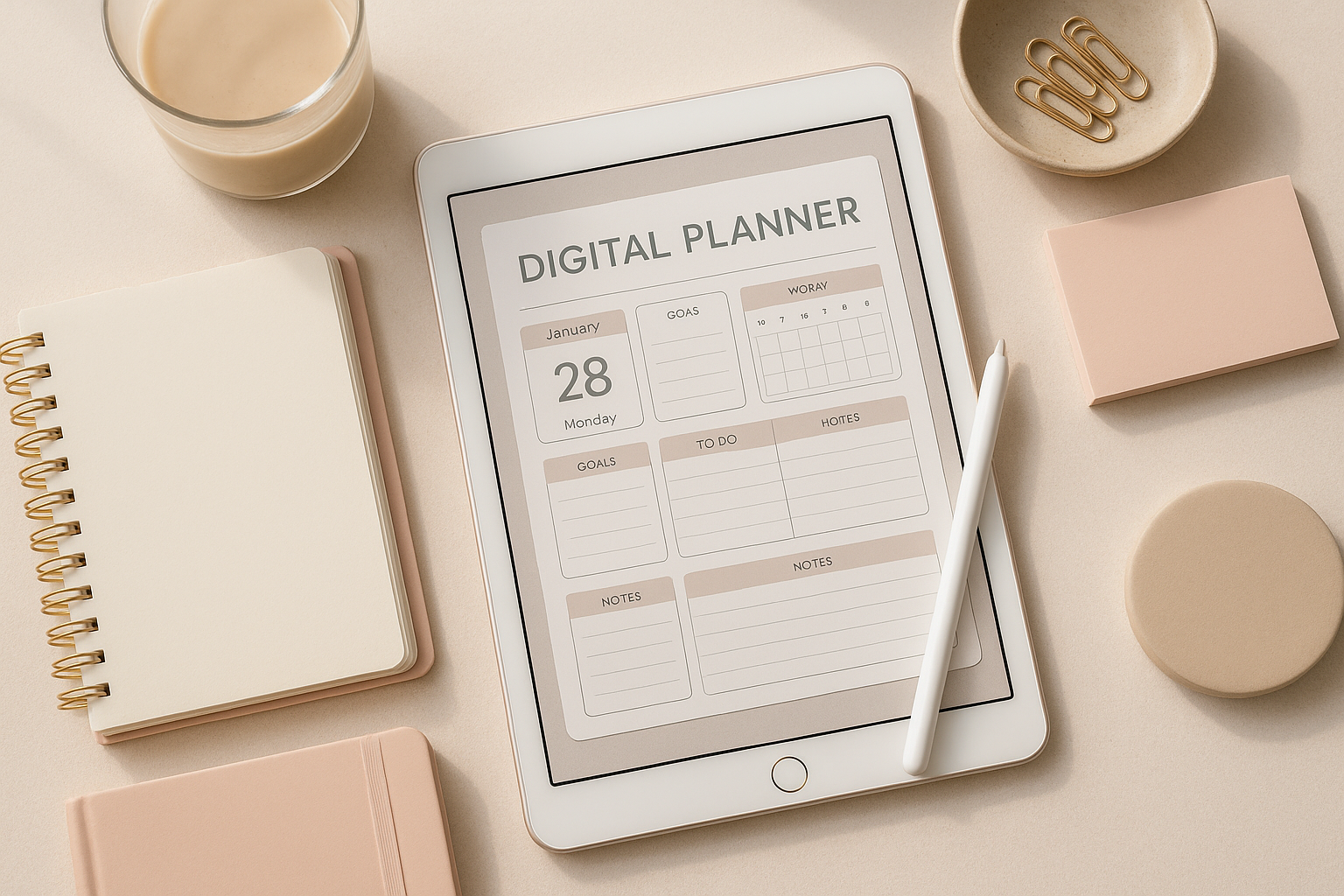
The digital planner market has exploded in recent years, with entrepreneurs earning thousands monthly from well-designed planning products. Learning how to create digital planner to sell opens up a lucrative passive income stream that combines creativity with business acumen. This comprehensive guide will walk you through every step of the process, from initial concept to profitable sales.
Build smarter, not harder. Explore our digital products — AI prompts, planners, automation playbooks — designed for entrepreneurs who want results.
Understanding the Digital Planner Market
The global digital stationery market is projected to reach $4.2 billion by 2026, with digital planners representing a significant portion of this growth. Unlike physical planners, digital versions offer unlimited customization, eco-friendliness, and instant delivery—factors that modern consumers increasingly value.
Digital planners cater to various niches:
- Daily productivity planners for professionals and students
- Wellness and habit trackers for health-conscious individuals
- Creative journals for artists and designers
- Business planners for entrepreneurs and freelancers
- Specialized planners for teachers, parents, or specific professions
Essential Tools and Software for Digital Planner Creation
Before diving into design, you’ll need the right tools. The choice depends on your budget, technical skills, and desired output quality.
Professional Design Software
- Adobe InDesign – Industry standard for professional layouts ($20.99/month)
- Canva Pro – User-friendly with planner templates ($12.99/month)
- Affinity Publisher – One-time purchase alternative ($69.99)
- PowerPoint/Keynote – Budget-friendly option for beginners
Additional Tools You’ll Need
- PDF editor (Adobe Acrobat Pro or PDFelement)
- Image editing software (Photoshop or GIMP)
- Font libraries (Google Fonts, Adobe Fonts)
- Stock photo subscriptions (Unsplash, Shutterstock)
Step-by-Step Process: How to Create Digital Planner to Sell
Creating a successful digital planner requires systematic planning and execution. Follow these detailed steps to develop a product that resonates with your target audience.
Step 1: Market Research and Niche Selection
Start by analyzing successful planners in your chosen niche. Visit platforms like Etsy, Gumroad, and Creative Market to understand what’s selling well. Look for gaps in the market where you can offer unique value.
Key research areas include:
- Popular planner styles and layouts
- Pricing strategies of competitors
- Customer reviews and pain points
- Trending keywords and search volumes
Step 2: Planning Your Planner Structure
Before designing, create a detailed outline of your planner’s contents. A typical digital planner includes:
- Cover page with attractive branding
- Instructions for digital use
- Index or table of contents
- Monthly overview pages
- Weekly and daily layouts
- Goal-setting sections
- Habit trackers
- Note-taking pages
- Bonus sections (quotes, templates, etc.)
Design Principles for Successful Digital Planners
Great design separates amateur planners from professional ones that command premium prices. Understanding how to create digital planner to sell successfully requires mastering these design fundamentals.

Color Psychology and Brand Consistency
Choose a cohesive color palette that reflects your planner’s purpose. Productivity planners often use blues and greens for focus, while wellness planners might incorporate calming pastels. Maintain consistency across all pages to create a professional appearance.
Typography and Readability
Select 2-3 complementary fonts maximum. Use hierarchy effectively with different font sizes and weights to guide users through your content. Ensure all text remains readable at various zoom levels on different devices.
Layout and White Space
Effective use of white space prevents pages from feeling cluttered. Create visual breathing room around important elements and maintain consistent margins throughout your planner.
Making Your Digital Planner Interactive
Interactive features significantly increase the value and appeal of digital planners. Modern consumers expect functionality that goes beyond static pages.
Essential Interactive Elements
- Hyperlinked navigation between sections
- Clickable date tabs for quick access
- Form fields for typing directly into the planner
- Checkboxes for task completion
- Bookmarks for easy section jumping
Advanced Interactive Features
For premium planners, consider adding:
- Dropdown menus for quick selections
- Calculation fields for budget tracking
- Progress bars for goal visualization
- Audio/video embedding for motivational content
2026 Digital Planner Trends to Incorporate
Staying ahead of trends ensures your planners remain relevant and appealing to modern consumers. Here are the key trends shaping the digital planner market in 2026:
AI-Powered Personalization
Smart planners that adapt to user behavior and preferences are gaining popularity. Consider incorporating AI-generated suggestions or adaptive layouts that change based on usage patterns.
Sustainability Focus
Eco-conscious consumers are driving demand for digital alternatives to paper planners. Emphasize the environmental benefits in your marketing materials.
Wellness Integration
Mental health awareness has made wellness tracking essential. Include mood trackers, gratitude sections, and mindfulness prompts in your designs.
Multi-Device Synchronization
Users expect seamless experiences across devices. Design planners that work equally well on tablets, smartphones, and computers.
Pricing Strategies for Digital Planners
Pricing directly impacts your success when learning how to create digital planner to sell profitably. Research shows that digital planners typically sell within these ranges:
- Basic planners: $3-$8
- Premium planners: $9-$25
- Comprehensive bundles: $25-$50
- Specialized/niche planners: $15-$40
Value-Based Pricing Factors
- Number of pages and sections
- Interactive functionality level
- Included bonus materials
- Target audience purchasing power
- Unique features and customization options
Platform Selection and Sales Optimization
Choosing the right sales platform significantly impacts your revenue potential. Each platform has distinct advantages for different business models.
Top Platforms for Digital Planner Sales
- Etsy – Built-in audience, easy setup, but high competition
- Gumroad – Creator-friendly, good for beginners
- Creative Market – Premium audience, higher earning potential
- Your own website – Full control, but requires marketing
- Teachers Pay Teachers – Ideal for educational planners
Listing Optimization Tips
Optimize your product listings with:
- SEO-friendly titles containing your target keywords
- High-quality preview images showing planner pages
- Detailed descriptions highlighting unique features
- Customer testimonials and reviews
- Clear usage instructions and compatibility information
Marketing Your Digital Planner Business
Understanding how to create digital planner to sell extends beyond design—effective marketing drives sustainable success.
Social Media Marketing
- Instagram – Showcase planner layouts and lifestyle content
- Pinterest – Drive traffic with SEO-optimized pins
- TikTok – Create planning process videos and tips
- YouTube – Develop tutorials and planner walkthroughs
Content Marketing Strategies
- Blog about productivity and planning tips
- Create free mini-planners as lead magnets
- Develop email sequences for nurturing subscribers
- Collaborate with influencers in your niche
Quality Assurance and Testing
Before launching, thoroughly test your digital planner across different devices and PDF readers. Common issues to check include:
- Link functionality on all devices
- Form field compatibility
- Image resolution and clarity
- File size optimization
- Spelling and formatting consistency
Beta Testing Process
Consider running a beta test with a small group of target users. Gather feedback on usability, design appeal, and feature functionality before your official launch.
Scaling Your Digital Planner Business
Once you’ve mastered how to create digital planner to sell successfully, focus on scaling your business through:
- Product line expansion – Create themed collections and seasonal variants
- Bundle offerings – Package complementary products for higher value sales
- Affiliate programs – Partner with bloggers and influencers
- License opportunities – Sell designs to other businesses
- Template creation – Develop reusable design systems
Conclusion
Learning how to create digital planner to sell opens doors to a thriving digital product business. Success requires combining market research, thoughtful design, strategic pricing, and consistent marketing efforts. By following this comprehensive guide and staying attuned to industry trends, you’ll be well-positioned to create digital planners that not only sell but build a sustainable business.
Remember that success rarely happens overnight. Focus on creating genuine value for your customers, continuously improve based on feedback, and maintain consistent quality across all your products. With dedication and the right approach, your digital planner business can become a significant source of passive income while helping others organize and improve their lives.
📚 Related Articles
- The Ultimate Planner Design Guide: What Sells on Etsy in 2026
- Building a 6-Figure Digital Product Business: Complete Step-by-Step Guide for 2026
- The Psychology of Color in Digital Design: What Sells in 2026
- How to Create Online Course AI Tools: Complete Guide 2026
Get the free AI Automation Starter Kit
Ready-to-use workflows and prompts I actually run in a live, 24/7 AI-automated business — no fluff, instant access.
Дальше по теме
🚀 Level Up Your AI Game
Get weekly AI tools, prompts & automation strategies — free, every week.
No spam. Unsubscribe anytime.