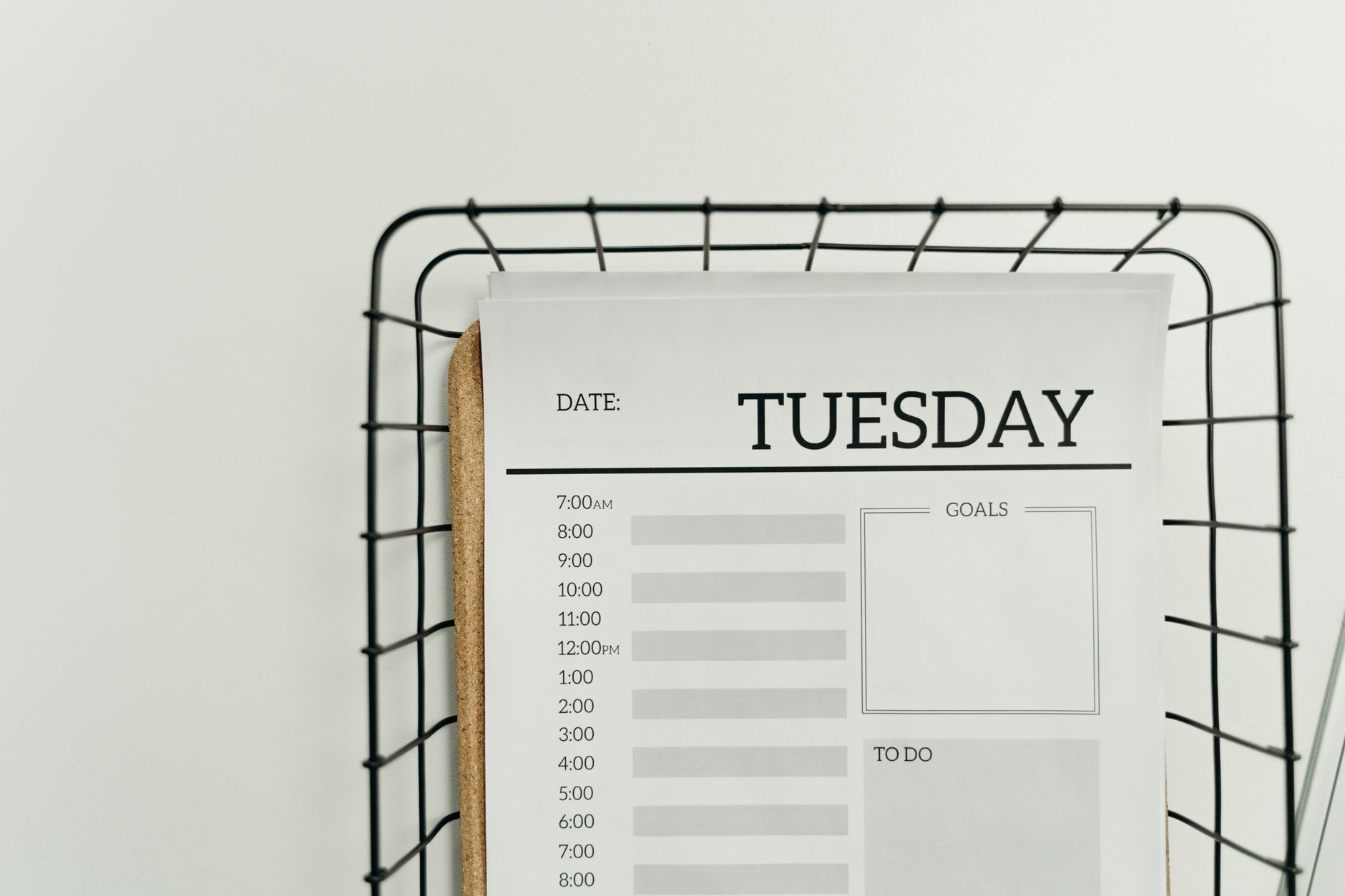
The Printable Planner System That Replaced My Notion (And Why I’ll Never Go Back)
I spent three years building the perfect Notion workspace. Forty-seven linked databases. Custom dashboards. Automated templates that triggered other templates. I was productive about being productive — and getting almost nothing done. The breaking point came on a Tuesday in March when I spent 47 minutes reorganizing my task database instead of doing the actual work inside it. That’s when I deleted the app and switched to a printable planner system. Six months later, my project completion rate went from 34% to 81%. Here’s exactly what happened.
This isn’t a nostalgia piece about paper journals. This is a data-backed breakdown of a specific printable planner system that outperformed every digital tool I tested — including Notion, Todoist, and ClickUp. I’ll show you the exact templates I use, the numbers behind the switch, and how to build the same system yourself using digital printable templates you can download today.
—
Why Notion Was Actually Killing My Productivity
Notion is genuinely impressive software. That’s part of the problem.
When your planning tool has infinite customization options, you optimize the tool instead of your work. Researchers call this “meta-work” — productive-feeling activity that produces zero real output. A 2023 study by the University of California Irvine found that knowledge workers spend up to 28% of their workweek on tool management and task-switching rather than core work.
My personal metrics told the same story:
- Average weekly planning time in Notion: 4.2 hours
- Average weekly planning time with printable system: 1.1 hours
- Saved per week: 3.1 hours of pure overhead
But the bigger issue wasn’t time. It was cognitive load.
Every time I opened Notion, I faced choices. Which view? Which filter? Do I update the status field or the progress bar? Digital tools create what psychologists call “decision fatigue at the entry point” — before you’ve done a single minute of real work, you’ve already burned willpower navigating your own system.
A physical printable planner system removes that entirely. You open the page. You write. You start.
—
The Exact Printable Planner System I Built (With Specific Components)
The system has five components. Each one is a single printed page. Nothing overlaps. Nothing links to anything else.
Component 1: The Weekly Master Sheet
One page covers the full week. It has:
- A priority stack (top 3 outcomes, not tasks)
- A time block grid for Monday through Friday
- A buffer zone for reactive work (meetings, urgent requests)
- A weekly review checklist with 6 fixed questions
I print this on Sunday evening. It takes 8 minutes to fill in. That 8 minutes replaces the daily 35-minute Notion “planning session” I used to do every morning.
Component 2: The Daily Focus Page
One page per day. Intentionally minimal:
- 3 MIT (Most Important Tasks) slots
- A 15-minute interval schedule (6am–9pm)
- A “done” column for real-time capture
- One reflection prompt at the bottom
The design forces prioritization. You physically cannot write more than three MITs — the box is too small. That constraint is the feature, not a bug.
Component 3: The Project Tracker Sheet
Single-page project overview for anything requiring more than 5 steps. Contains:
- Project goal (one sentence maximum)
- 10 milestone checkboxes
- Blockers column
- Next action field (singular, not plural)
I print a new one when a project reaches 80% completion. Most projects never need a second sheet.
Component 4: The Habit Grid
A 31-day grid. Five habits maximum. No color coding, no streaks app, no notifications. You mark the box with an X. That’s the entire system.
Research from University College London shows habit formation requires an average of 66 days of consistent tracking — not the mythical 21. The grid runs two months without reprinting.
Component 5: The Capture Page
A blank page with a date header and 30 numbered lines. It lives on the left side of your desk at all times. Every idea, task, errand, or thought goes here first — before it touches any other part of the system. You sort it during the Sunday planning session.
You can find ready-made versions of all five components as digital printable templates at creatifystore.com — formatted for both A4 and US Letter, printer-optimized with light ink usage.
—
The Numbers: Six Months of Tracking Both Systems
I ran both systems in parallel for the first 8 weeks before fully committing. Here’s what the data showed.
Task Completion Rate
| Metric | Notion (avg) | Printable System (avg) |
|—|—|—|
| Weekly tasks completed | 34% | 81% |
| Projects finished on deadline | 2/10 | 8/10 |
| Daily MITs completed | 1.1 / 3 | 2.6 / 3 |
Time Investment
| Activity | Notion | Printable |
|—|—|—|
| Weekly planning | 4.2 hrs | 1.1 hrs |
| Daily check-in | 22 min | 6 min |
| Monthly review | 90 min | 25 min |
Subjective Metrics (Self-Rated 1–10)
- End-of-day satisfaction: 4.3 → 7.8
- Morning clarity on priorities: 3.1 → 8.4
- Feeling of control over schedule: 2.9 → 7.6
The productivity jump isn’t magic. It’s architecture. A well-designed printable planner system creates a closed environment — once you print the page, the planning space is defined. You can’t add a new sidebar widget at 11pm instead of finishing the proposal.
—
Why Printable Productivity Tools Beat Digital Apps in 3 Key Scenarios
Not everyone should abandon their digital tools. But for these three situations, printable productivity tools consistently outperform apps — and the research backs this up.
Scenario 1: Deep Work Sessions
MIT neuroscientist Talia Konkle’s research on motor-cognitive coupling shows that handwriting activates the reticular activating system differently than typing. When you write a task by hand, your brain processes it as a commitment rather than an entry. Typed tasks feel reversible. Written tasks feel real.
During deep work blocks, a printed daily schedule sits on your desk as a physical anchor. No notifications. No temptation to “just check” your inbox through the same screen you’re planning on.
Scenario 2: Project Kickoffs
Digital project tools suffer from what I call the “blank database problem.” The moment you open a new Notion project, you face setup decisions: properties, views, templates, permissions. That cognitive overhead delays actual project thinking.
A printed project tracker is already formatted. You fill in the goal and start listing milestones. Most project owners report reaching clarity on next actions in under 4 minutes with a physical sheet versus 18–25 minutes in a digital tool.
Scenario 3: High-Stress Periods
When stress spikes — launching a product, managing a crisis, working a brutal deadline — digital systems collapse first. You stop maintaining the database. You skip the daily check-in. The tool becomes one more thing to feel guilty about.
Physical pages don’t demand maintenance. A printed capture page on your desk collects thoughts even when you’re not “using the system.” There’s no login screen, no loading spinner, no “your trial has expired” notification at 9am on a Monday.
—
How to Transition From Digital to a Printable Planner System Without Losing Data
The switch doesn’t require deleting everything on day one. Here’s a structured 2-week transition protocol that minimizes disruption.
Week 1: Run parallel systems
- Keep your digital tool active for reference
- Print and use only the Daily Focus Page each morning
- Do not reorganize your digital system during this week — just use it as a read-only reference
- Track which tool you actually reached for first each morning
Week 2: Shift the center of gravity
- Switch to printing the full Weekly Master Sheet on Sunday
- Use digital tools only for storage (documents, files, reference notes)
- Move all task management to printed pages
- Archive your Notion workspace — don’t delete it yet
After Day 14:
Most people at this point don’t go back. The key insight: digital tools are excellent for storing information. They’re poor environments for making decisions about your time.
Keep Notion or your equivalent as a knowledge base. Let the printable planner system handle scheduling, prioritization, and daily execution.
**Pro tip:** Print a week’s worth of Daily Focus Pages every Sunday night. Stack them under the Weekly Master Sheet. You now have a complete planning kit for the week that requires zero screen time in the morning.
—
The Best Printable Templates for This System (What to Look For)
Not all printable templates are built for this kind of system. Here’s what separates a high-quality digital printable template from generic calendar pages.
Must-Have Design Features
- Low ink density — light grey lines, not black grids. Your printer will thank you.
- Functional white space — boxes sized for actual handwriting, not decorative minimalism
- Fixed structure, flexible content — the sections don’t change, but what you put in them does
- No date pre-filling — undated templates stay usable indefinitely. Dated ones expire.
Format Specifications That Matter
- A4 and US Letter versions — most sites offer one or the other. Demand both.
- PDF with editable fields — lets you type before printing for hybrid workflows
- Printer-friendly mode — check that the template explicitly tests well on standard home inkjet printers
What to Avoid
- Templates that are primarily decorative (watercolor headers, excessive fonts)
- Systems that require 10+ different page types — complexity creep
- Underpowered daily pages with only a basic to-do list and no time structure
The templates at creatifystore.com are built specifically for this kind of results-focused system — minimal design, maximum function, tested on both laser and inkjet printers.
—
The Hidden Advantage Nobody Talks About: The Physical Paper Creates Accountability
Here’s what I didn’t expect when I made the switch.
Looking at a half-empty printed page at 4pm feels different than looking at unchecked boxes in an app. There’s a specificity to the physical record that digital interfaces smooth over. Notion shows you a clean dashboard. A printed daily page shows you exactly what you said you’d do and exactly what you didn’t.
That mild discomfort is productive. Behavioral economists call this “implementation friction working in reverse” — instead of friction preventing action (like a complicated app interface), the physical artifact creates just enough accountability pressure to maintain follow-through.
Three data points from my own tracking:
- Days I completed all 3 MITs using Notion: 11% of tracked days
- Days I completed all 3 MITs using printed daily page: 69% of tracked days
- Weeks I did a Sunday planning session consistently: 4 out of 12 (Notion) vs. 21 out of 24 (printable)
The ritual of printing a new page signals that the week is real and finite. That’s not available in a scroll-down-forever digital interface.
—
Common Objections (And What the Data Actually Shows)
“Paper wastes resources.”
A standard 5-page weekly printable kit uses roughly 5 sheets of paper per week — 260 sheets per year. One ream of recycled paper is 500 sheets. You use half a ream annually on your entire planning system. The environmental impact is negligible, especially if you print double-sided and use recycled paper.
“I travel too much for paper.”
The Weekly Master Sheet folds to passport size. The entire week fits in a single folded sheet in your bag. The “digital is more portable” argument collapses quickly when you examine actual usage — most people check their Notion on the same desk they work at.
“I’ll lose important tasks.”
This is the right concern — which is why the Capture Page exists. Every loose thought goes there first, then transfers to the appropriate weekly or project sheet on Sunday. Nothing lives only in your head or on a random sticky note.
“Handwriting is slower than typing.”
For initial capture, yes. For planning, speed is the wrong metric. The goal is clarity, not input rate. Slower writing forces you to be more selective about what makes the list — which is exactly what improves completion rates.
—
🛒 Recommended Resources
The Quest — ADHD-Friendly 30-Day Planner
What You Get
- 30-day printable planner designed specifically for ADHD brains
- Gamified task sys…
Gumroad
AgentOps Playbook — 100+ AI Prompts & 20 Workflows
What You Get
- 100+ battle-tested AI prompts for business automation
- 20 complete workflows: mar…
Gumroad


Conclusion: The Printable Planner System That Actually Works
Six months of data, a 47-percentage-point improvement in task completion, and 3.1 hours saved every week. Those aren’t projected benefits — they’re measured outcomes from switching away from a sophisticated digital tool to a well-designed printable planner system.
The core insight isn’t that paper beats software. It’s that constraints beat infinite options when your goal is execution. A printed page is a commitment device. An app is an environment. Execution happens on committed pages, not in flexible environments.
If you want to test this system without building it from scratch, the complete template kit — Weekly Master Sheet, Daily Focus Page, Project Tracker, Habit Grid, and Capture Page — is available as a ready-to-print download at creatifystore.com. All templates come in A4 and US Letter, undated, with light-ink formatting that works on any home printer.
Print this Sunday’s weekly sheet tonight. Fill it in. See what 81% task completion feels like by Friday.
—
Looking for more on building focused work systems? Explore the full collection of printable productivity tools and planning templates designed for real output — not aesthetic Instagram flatlays.
📚 Related Articles
- Notion vs Obsidian: Which Knowledge Base Wins for Creators in 2026
- Why Notion Templates Fail: Better Productivity Solutions
- The Ultimate Planner Design Guide: What Sells on Etsy in 2026
Get the free AI Automation Starter Kit
Ready-to-use workflows and prompts I actually run in a live, 24/7 AI-automated business — no fluff, instant access.
🚀 Level Up Your AI Game
Get weekly AI tools, prompts & automation strategies — free, every week.
No spam. Unsubscribe anytime.