
Why Your Brand Kit Looks Cheap (Free Blueprint Fix)
You spent hours picking fonts. You found a color palette you love. You put together a logo, slapped it on a few templates — and somehow the whole thing still looks off. Unprofessional. Like something a intern built on a lunch break. If that sounds familiar, the problem isn’t your taste. The problem is you’re building a brand kit without a brand kit blueprint — a structured system that tells every visual element exactly where it belongs and why.
Most small business owners and freelancers skip the blueprint stage entirely. They jump straight to Canva, grab a trendy font, pick three colors from a palette generator, and call it a brand. Then they wonder why their Instagram grid looks inconsistent, their business cards feel generic, and clients don’t take them seriously. The gap between a brand that looks cheap and a brand that commands premium prices isn’t talent. It’s structure.
This article breaks down the seven most common branding mistakes — the ones that silently destroy your credibility — and shows you exactly how a proper brand identity guide fixes each one. At the end, you’ll get access to a free fragment of our branding design template blueprint that you can implement today.
—
Why Most Brand Kits Fail Before They Launch
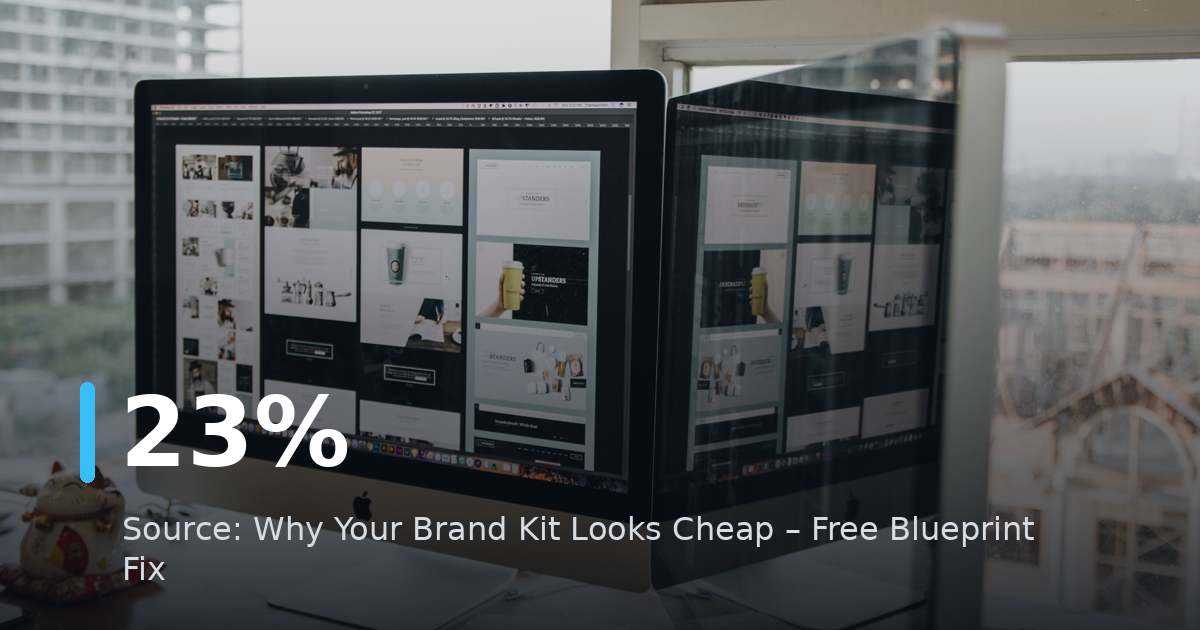
Here’s a stat that should stop you cold: according to Lucidpress, consistent brand presentation across all platforms increases revenue by up to 23%. Yet 60% of small businesses admit they don’t have formal brand guidelines at all. That means they’re leaving money on the table every single day — not because their product is bad, but because their brand looks unreliable.
A brand kit without a blueprint is like a house without blueprints. You might nail the living room, but the kitchen doesn’t connect to the hallway, the bathroom is the wrong size, and nothing feels intentional. Clients and customers feel that disconnect instantly — even if they can’t name it.
Signs your brand kit is failing right now:
- Your logo looks fine on white backgrounds but terrible on dark ones
- You use slightly different shades of your “brand blue” across different files
- Your fonts are inconsistent between your website, proposals, and social posts
- You have no clear rule for when to use your primary vs. secondary colors
- Your brand looks like five different companies depending on the platform
If three or more of those apply to you, keep reading. Every single one has a fix inside a well-built blueprint.
—
Mistake #1: You Chose Colors by Feeling, Not by Function
Color is the first thing people notice. It’s also the most misunderstood element in branding. Most founders pick colors they personally love, or worse, they copy the palette from a brand they admire. Neither approach works without a system.
What a brand kit blueprint does differently with color
A proper blueprint doesn’t just list your hex codes. It defines:
- Primary color — your dominant brand color, used in logos, CTAs, and headers
- Secondary color — supports the primary, used in backgrounds and accents
- Neutral color — white, off-white, or gray that gives everything breathing room
- Alert/action color — optional fourth color for buttons, highlights, or urgent callouts
It also specifies exact values across formats: HEX for digital, RGB for screens, CMYK for print, and Pantone for physical products. If you only have a HEX code, your print designer will guess the CMYK conversion — and your brand navy blue might come back looking purple.
The fix: Open your current brand files right now. If you can’t immediately find the CMYK value for every color you use, your color system is incomplete. That’s a blueprint problem, not a design problem.
—
Mistake #2: You’re Using Fonts You Can’t Actually Scale
Typography is where amateur brands reveal themselves fastest. The most common mistake isn’t picking an ugly font — it’s picking fonts with no logical hierarchy and no licensing clarity.
The three-tier font system every brand needs
A functional branding design template uses three font roles, not one:
- Display font — used for headlines, hero text, and big statements. Can be expressive and bold.
- Body font — used for all readable paragraphs and longer content. Must be clean and legible at small sizes.
- Accent font — optional, used sparingly for pull quotes, labels, or decorative elements.
When brands use only one font everywhere, everything looks flat. When they use four or five fonts with no logic, everything looks chaotic. Three fonts with clear roles hits the sweet spot.
The licensing trap: Many founders grab fonts from free sites and use them commercially without checking the license. Google Fonts are generally safe. Fonts downloaded from random sites often are not. A blueprint documents not just which fonts you use, but where you sourced them and whether your license covers commercial use.
The scalability problem: That beautiful script logo font you love? It becomes completely illegible at 16px on mobile. A blueprint tests every font at multiple sizes — from billboard scale down to favicon scale — before approving it.
—
Mistake #3: Your Logo Has No Variation System
Here’s something most brand tutorials don’t tell you: one logo is never enough. A single logo file cannot work correctly in every context it needs to appear.
The four logo variations your brand kit blueprint must include
| Variation | When to use |
|—|—|
| Primary logo | Main use — websites, presentations, print materials |
| Horizontal logo | Email headers, banners, wide-format spaces |
| Stacked logo | Profile photos, square social tiles, app icons |
| Monogram/icon | Favicons, watermarks, small-scale applications |
Each variation should also exist in three color modes: full color, white (for dark backgrounds), and black (for grayscale or single-color print).
That’s potentially 12 logo files minimum. Most founders have one. This is why their logo looks weird on dark backgrounds, gets distorted when squeezed into a profile photo, or loses detail when printed on a pen or badge.
The fix: Before your next design project, audit your logo files. Do you have versions that work on both light and dark backgrounds? Do you have a version that still looks sharp at 32×32 pixels? If not, your brand kit is incomplete regardless of how much you paid for your logo design.
—
Mistake #4: You Have No Rules for Spacing and Layout
Spacing is invisible when it’s done right. It’s painfully obvious when it’s wrong. Cluttered, unbalanced layouts signal inexperience faster than almost anything else in branding.
Why whitespace is a brand asset
Luxury brands use generous whitespace deliberately. It signals confidence, quality, and control. Brands that cram everything together signal the opposite — desperation and low value.
A brand identity guide includes explicit rules for:
- Minimum clear space around your logo (usually defined as a ratio based on the logo’s height or the “x” letter height)
- Grid systems for layouts — columns, gutters, margins
- Spacing scale — a consistent set of spacing values (e.g., 8px, 16px, 24px, 48px) used everywhere
- Alignment rules — whether your brand is left-aligned, centered, or grid-based
Without these rules, every designer, contractor, or team member who touches your brand makes their own spacing decisions. Over time, the accumulation of those individual choices creates visual noise that makes your brand look inconsistent and cheap.
Practical action: Look at your last three marketing pieces — a social post, a PDF, and your website homepage. Do they feel like they come from the same visual family? If not, you don’t have a spacing and layout system.
—
Mistake #5: Your Brand Voice Has No Visual Partner
This one surprises people. Voice is usually treated as a copywriting problem. But visual tone and written tone must match — or the whole thing feels off.
Consider this: a brand that writes in warm, conversational language but uses cold, corporate navy blue with rigid serif fonts sends mixed signals. Customers feel the contradiction even if they can’t articulate it.
How to align your visual identity with your brand voice
For a bold, disruptive brand:
- High-contrast colors (black + electric yellow, deep navy + neon green)
- Geometric or grotesque sans-serif fonts
- Asymmetric layouts and dynamic angles
For a warm, approachable brand:
- Soft, warm color palettes (terracotta, cream, sage)
- Rounded or humanist sans-serif fonts
- Generous whitespace, organic shapes
For a premium, authoritative brand:
- Muted, sophisticated color palettes
- Refined serif or transitional fonts
- Structured grids, minimal ornamentation
A brand kit blueprint includes a visual tone section that explicitly maps these alignments. It answers the question: “If our brand were a person, what would they wear to a client meeting?” — and then builds a visual language to match.
—
Mistake #6: You’re Missing an Application Library
A brand kit is not just a style guide PDF. It becomes real when it’s applied — to business cards, email signatures, social media templates, proposal covers, invoice designs, presentation decks, and packaging.
Most brand kits stop at documenting the rules. They don’t show you how those rules look in practice across real materials.
What a complete brand kit blueprint application library includes
Digital applications:
- Social media post templates (at least 3 layout variations per platform)
- Email header and signature templates
- Website UI component styles (buttons, cards, headers)
- Presentation slide deck template
Print applications:
- Business card (front and back)
- Letterhead
- Invoice or proposal cover
Content applications:
- Blog featured image template
- Video thumbnail template
- Quote graphic template
You don’t need all of these on day one. But your blueprint should define which applications you’ll build and in what order — based on where your brand actually shows up for customers.
💡 **Free blueprint fragment:** Our full Brand Kit Blueprint includes a 12-page Application Priority Matrix that helps you decide exactly which templates to build first based on your business model. [Download the free preview at creatifystore.com](https://creatifystore.com) and get the first three sections instantly.
—
Mistake #7: Nobody on Your Team Knows How to Use the Brand Kit
You can build the most beautiful, comprehensive brand kit in the world. If it lives in a folder that nobody opens, it doesn’t exist.
This is the implementation gap — and it’s where most brands fall apart in practice. A brand kit blueprint solves this by being usable, not just complete.
How to make your brand kit actually get used
1. Keep it accessible. Store your brand kit in a shared location (Google Drive, Notion, Figma) that every team member, contractor, and VA can access immediately.
2. Build a one-page quick reference. Pull the most-used elements — primary colors with hex codes, font names, logo files — onto a single page. Most people won’t read a 40-page guide. They will glance at a one-pager.
3. Create a “Do This / Not That” section. Show real examples of correct and incorrect brand usage. Visual dos and don’ts are ten times more effective than written rules.
4. Run a brand onboarding call. When you bring on a new designer or team member, spend 30 minutes walking through the brand kit together. It prevents 80% of brand inconsistency problems before they happen.
5. Review it quarterly. Brands evolve. What worked 18 months ago may not reflect where you are now. Schedule a quarterly review to update your blueprint as your brand matures.
A brand identity guide that collects dust is a wasted asset. Build it to be used — and then actively use it.
—
Your Free Brand Kit Blueprint Fragment
Here’s a condensed version of the first section from our full Brand Kit Blueprint — the Brand Foundation Audit. Run through this before you touch a single design file.
Brand Foundation Audit (from the Blueprint)
Answer these 7 questions in writing before your next branding session:
- Who is the single most specific customer this brand speaks to? (Not “everyone” — one person.)
- What is the one emotion you want customers to feel when they encounter your brand?
- Name three brands your target customer already trusts and buys from. What do those brands look like visually?
- What is your brand’s position — budget/value, mid-market, or premium? Does your current visual identity reflect that position?
- Which three words should never describe how your brand looks? (These become your “never do” list.)
- Where does your brand appear most often? List the top five touchpoints in order of frequency.
- Who has permission to create brand assets, and where are the master files stored right now?
If you can’t answer all seven confidently, you’re building design on top of a shaky foundation. No amount of beautiful typography fixes that.
—
How to Build Your Brand Kit Blueprint in 30 Days
You don’t need a big agency budget or a six-month timeline. Here’s a realistic 30-day build schedule:
Week 1 — Foundation
- Complete the Brand Foundation Audit above
- Define your color system with all format values
- Lock in your three-font hierarchy
Week 2 — Logo System
- Audit existing logo files or brief a designer on required variations
- Build or request all four logo variations in all three color modes
Week 3 — Rules and Guidelines
- Document spacing rules and minimum clear space
- Write your visual tone section
- Create your “Do This / Not That” page
Week 4 — Application Templates
- Build your top three most-used templates first
- Create a one-page quick reference
- Upload everything to a shared folder and brief your team
Thirty days. One hour per day. That’s enough time to build a brand kit blueprint that genuinely protects your brand consistency for the next two to three years.
—
🛒 Recommended Resources
Tax-Ready Freelancer Kit — Notion CRM + Sheets + 12 Invoices
What You Get
- Notion CRM template for tracking clients, invoices, and payments
- Google Sheets t…
Gumroad
Graduation Party Printables Kit 2026 | Complete Decoration Set
Celebrate your graduate in style with this complete printable party kit! Perfect for Class of 2026 graduation parties.
…
Gumroad
The Ultimate AI Prompt Collection for Etsy Sellers | 550+ Prompts
Supercharge your Etsy shop with 550+ expertly crafted AI prompts across 10 categories! Stop spending hours writing listi…
Gumroad


Build the Blueprint, Stop Looking Cheap
A cheap-looking brand isn’t a taste problem. It’s a structure problem. Every element that makes a brand look inconsistent, amateur, or forgettable traces back to the same root cause: no system, no rules, no blueprint.
The brands that command premium prices don’t have better logos. They have better systems. They know exactly which font to use, which color goes where, how much space to leave around the logo, and how to apply every rule across every touchpoint. That clarity creates trust. Trust creates sales.
Start with the Brand Foundation Audit above. Then build your color system, your font hierarchy, your logo variations, and your application library — in that order. Use the 30-day schedule as your roadmap.
If you want the full brand kit blueprint — all 12 sections, the Application Priority Matrix, the visual tone worksheets, and the complete template library — visit creatifystore.com and download the free preview today. The first three sections are free. No email required. Just open it and start building.
Your brand is either building trust or eroding it with every impression it makes. A blueprint makes sure it’s always doing the first one.
—
Keywords: brand kit blueprint, branding design template, brand identity guide, visual identity system, brand guidelines, logo variations, color system, typography hierarchy
📚 Related Articles
- Why Your Canva Branding Kit Is Killing Your Conversions
- Create Profitable Canva Templates with AI: 2026 Guide
Get the free AI Automation Starter Kit
Ready-to-use workflows and prompts I actually run in a live, 24/7 AI-automated business — no fluff, instant access.
Дальше по теме
🚀 Level Up Your AI Game
Get weekly AI tools, prompts & automation strategies — free, every week.
No spam. Unsubscribe anytime.